
Giving feedback
Rate an answer with the thumbs up or the thumbs down under it. A thumbs up is sent at once. A thumbs down opens a short form in which both fields are optional. A rating is final, so you cannot change it afterwards.
- Wait until Growi has finished the answer. Under it are three icon buttons: copy, thumbs up (helpful) and thumbs down (not helpful).
- Click the thumbs up when the answer helped. It is saved at once and you are done.
- Click the thumbs down when it did not. The Give your feedback dialog opens.
- Choose an answer under What type of issue do you wish to report? (optional): Not factually correct, Not relevant to my crop, Too generic, Missing detail, Hard to understand or Other.
- Type what was wrong under Please provide details: (optional). Say what you expected, for example “The 24-hour average looks too low, the graph shows about 1 degree more.”
- Click Submit. Cancel closes the dialog and saves no rating.
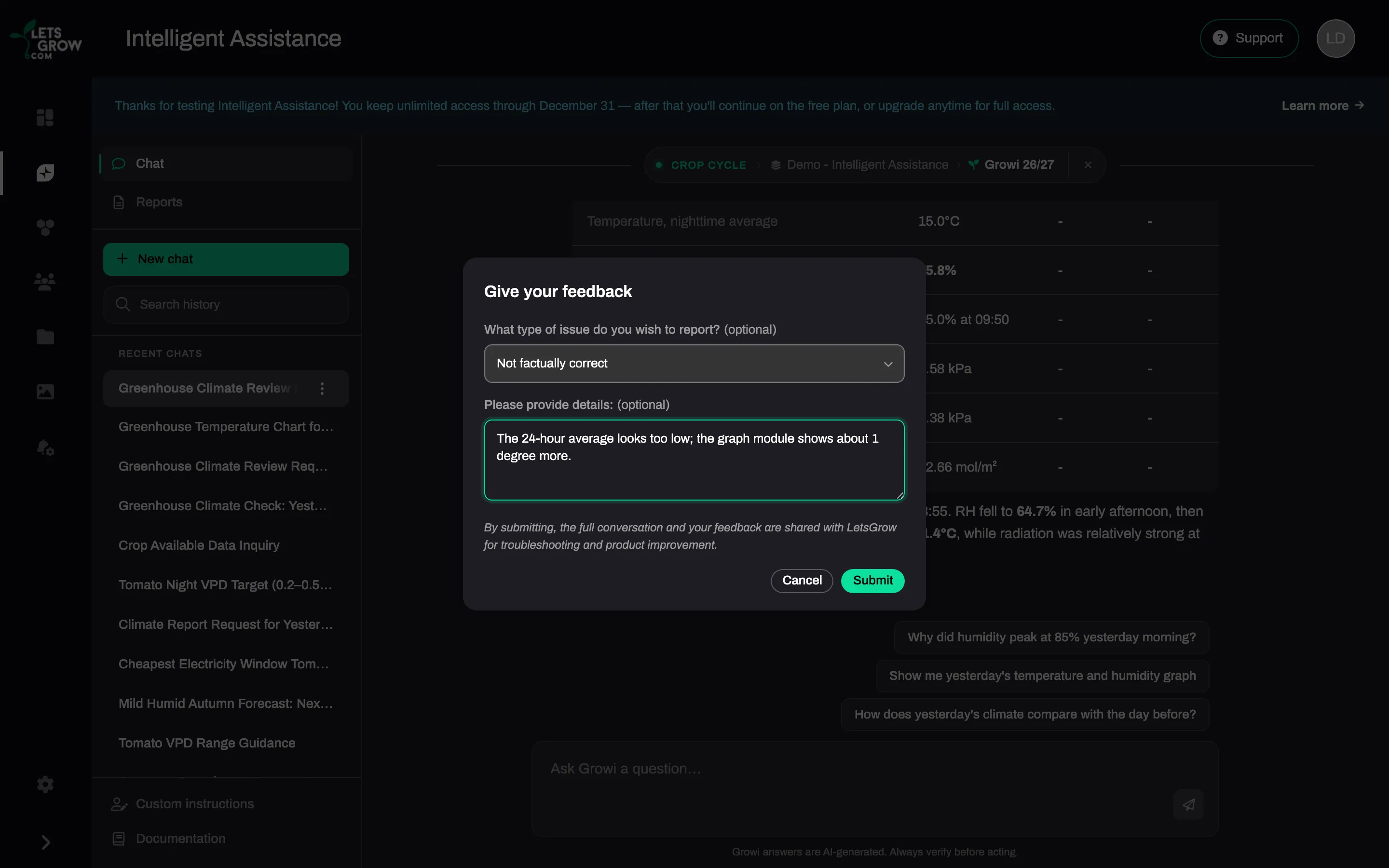
Your comment can hold up to 2000 characters, and the issue type you chose counts towards them. A longer comment is not saved.
A thumbs down reaches the LetsGrow team straight away, so a comment that says what you expected helps them most. A thumbs up is stored and nothing more.
To rate a report, use the thumbs on a point of attention. Each point has its own thumbs, and a thumbs down opens the same dialog. Only the owner of a report can rate its points. A colleague who reads a shared report cannot.
Expected result
Section titled “Expected result”Both thumbs are locked. The one you chose stays filled and the other is dimmed. An answer or a point takes one rating.
Troubleshooting
Section titled “Troubleshooting”- You see “Could not save feedback. Please try again.” The rating was not saved and the thumbs still work. Try again, with a shorter comment if yours was long.