
Asking for a report in chat
Ask Growi for a report and use the word “report”. Without a date you get a daily report about yesterday. The report shows in the chat and also lands on the Reports page, named “Daily Report via Chat” or “Weekly Report via Chat”.
- Select the crop in the chat. A report is about one crop: the crop that is selected. To get a report about another crop, switch crop first. With several crops selected, Growi makes the report for the crop you name, or for the first selected crop, and says which one it took.
- Ask for a report, for example “Make a report for yesterday”. “Analysis” or “summary” alone gets you an answer in the chat, not a report.
- Optional: name the period. One day gives a daily report. A week number gives a weekly report for that week, Monday to Sunday. A range of exactly 7 days gives a weekly report that ends on the last day. For any other length Growi makes no report and asks you for 1 day or 7 days.
- Optional: name a topic, such as “irrigation report”. Without one, the report covers Climate, Crop, Irrigation and IPM.
- Wait for the report card. It shows the progress while the report is made, for example “Fetching data…”. You can keep asking questions in the meantime.
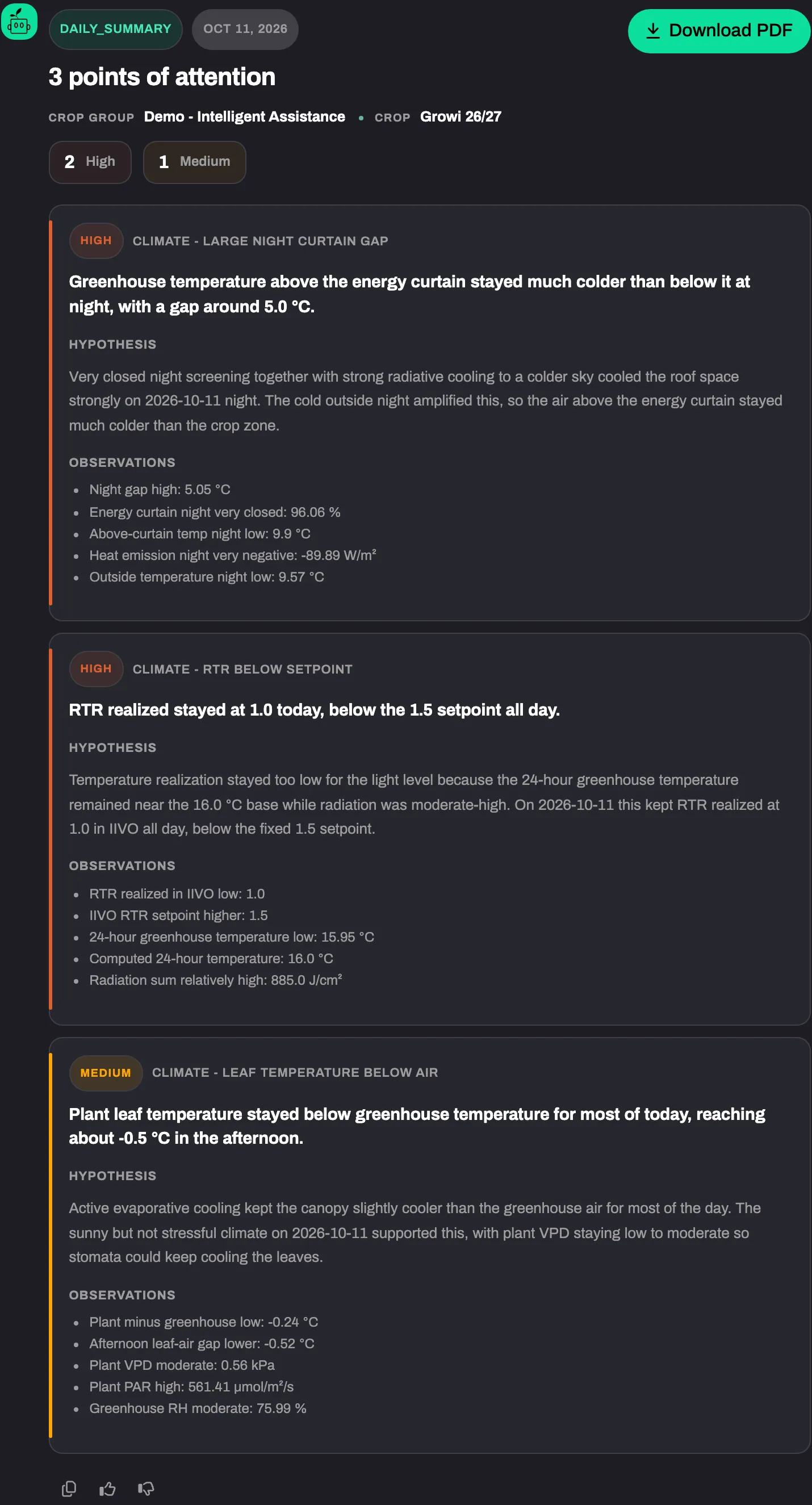
Expected result
Section titled “Expected result”The finished card shows the period, the number of points of attention, the Crop group and Crop, a count per severity, every point with its Hypothesis and Observations, and a PDF download. The report is in the language of your conversation. When Growi cannot tell the language, the report is in English.
The conversation keeps the report. A question you ask afterwards in the same conversation can refer to it, also after you switch crop.
On the Reports page the report is marked as read, so it has no green dot. Inside the report the footer says “via Chat”. You can delete it like any other report. See Finding and reading a report.
A report you ask for in chat uses your custom instructions and your crop memory for that crop.
Asking for a report counts towards your usage, as one chat question and as one report. See Plans and usage limits.
Troubleshooting
Section titled “Troubleshooting”- The card says “Report failed”. Ask again. A failed report is not reused.
- Growi starts no report and names a limit. Your report limit is reached. Growi tells you when it resets.
- You want the report every day, or sent to a colleague. Growi cannot schedule, share or mail a report from the chat. See Schedules and sharing.