
Custom instructions and crop memory
Growi starts every answer with two kinds of background about you. Custom instructions are a text you write once for your own user. Crop memory is a set of notes Growi writes itself, per crop, from what you tell it in chat.
Why it exists
Section titled “Why it exists”Without this background you repeat yourself: that you grow cherry tomatoes on 4 ha, which units you use, what you keep an eye on. With it, an answer or a report takes that into account.
How it works
Section titled “How it works”| Custom instructions | Crop memory | |
|---|---|---|
| Who writes it | You | Growi, from what you state in chat |
| Scope | Your user. Not a crop, not the company | One crop and one user. A colleague has separate notes |
| Used in | Every chat answer, a report you ask for in chat, and scheduled reports | Every question about that crop, and reports about that crop |
| Limit | 4000 characters | 4000 characters per crop |
| How you change it | Edit the text and save | State the correction in a conversation about the crop |
Both are background, not commands. They cannot switch off Growi’s safety rules or change how it reads your data. A scheduled report uses the instructions and the notes of the user who owns the schedule. A schedule also has its own Additional context field. See Schedules and sharing.
Write custom instructions
Section titled “Write custom instructions”- Open Intelligent Assistance and click Custom instructions at the bottom of the left panel.
- Write about your crop, your greenhouse or problems that keep coming back, for example “I grow cherry tomatoes in a 4 ha glass greenhouse and sometimes struggle with botrytis in autumn. Keep answers short.”
- Watch the counter. Text over 4000 characters is refused, not cut off.
- Click Save.
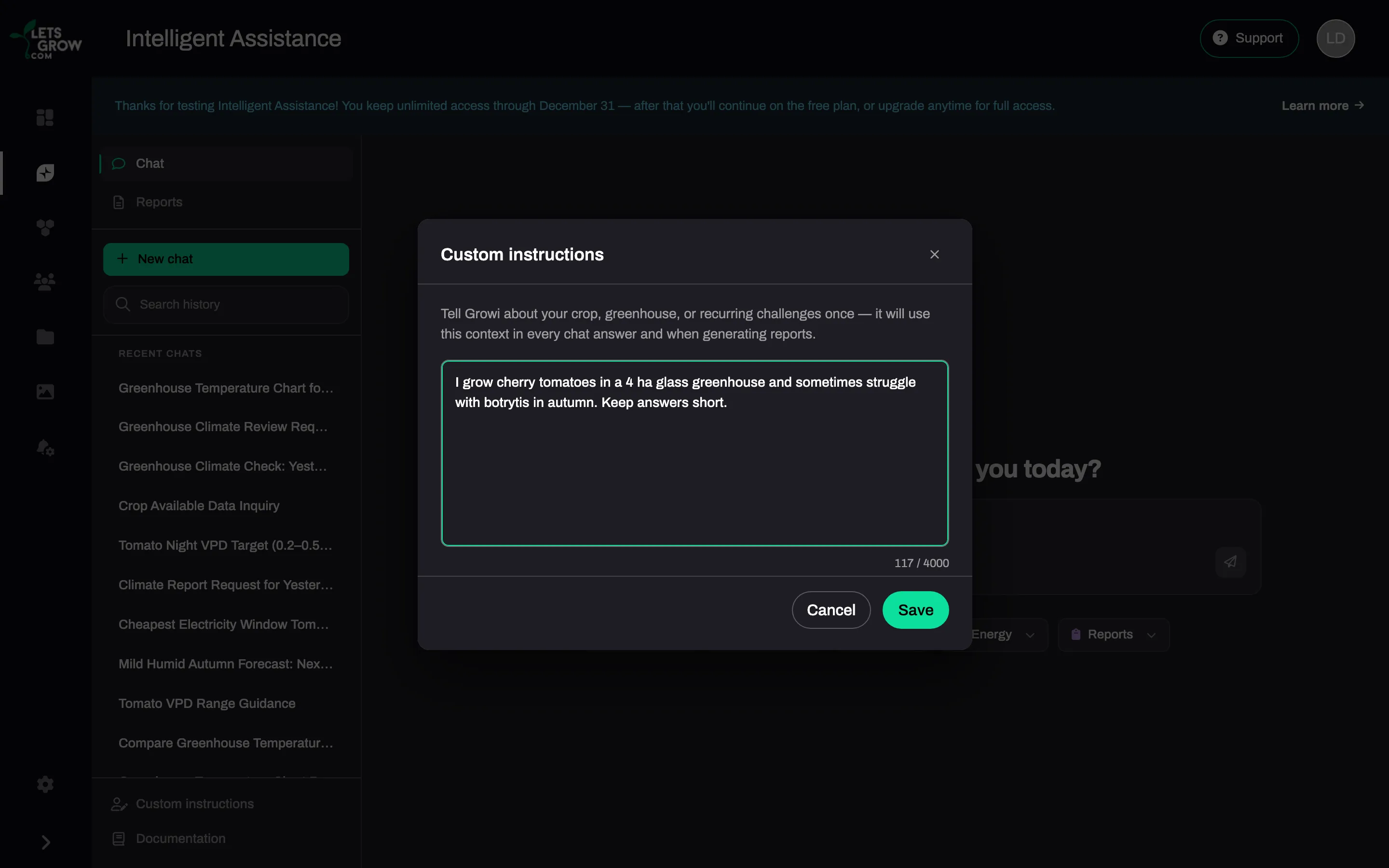
To stop using them, clear the text and save. When you close the window with unsaved text, LetsGrow asks Discard changes?. Only you can read, change or clear your instructions in LetsGrow.
What crop memory keeps
Section titled “What crop memory keeps”After each turn in a conversation with an active crop, Growi checks whether you said something worth keeping and rewrites the notes as a whole. It reads them at the start of every turn about that crop.
| Growi keeps | Growi does not keep |
|---|---|
| Facts about your greenhouse that you state: structure, size, equipment | What is already on the crop in LetsGrow: name, variety, strategy, dates, area |
| Your location or climate zone | Measurements and trends |
| Long-term goals you state | Something it only derived from the fact that you asked about it, such as which climate computer you use |
| Habits and preferences you state, such as the values or units you use | One-off conditions and events |
| Something you say you keep an eye on | Emotional remarks |
| Outside conditions that stay the same or come back | Its own advice, unless you say you adopt it |
There is no screen or command to read, edit or delete the notes. To correct one, state the correction in a conversation about that crop: “We replaced the screen, it is no longer a shade screen.”
Limitations
Section titled “Limitations”- When the notes of a crop are full, the oldest or least relevant entries go first.
- The notes do not expire by themselves.
- The notes are kept in the main language of the conversation.
- When the instructions or the notes cannot be loaded in time, Growi answers without them.